What You Get #
The One You Feed podcast and Minder joined forces to offer you 3 free months to build Wise Habits through the Still Points practice when pre-ordering the How a Little Becomes a Lot book.
After the 3-month period you’ll be automatically charged $2.99 (or the equivalent set by the App Store) per year.
You can cancel the subscription at any time in the Apple Account Settings.
Before You Start #
- Make sure you are running iOS 26 on your iPhone. To do this go to Settings → General → Software Update.
- To get access to the subscription and experience specific to The One You Feed it’s important for you to select “The One You Feed” during the onboarding. Scroll down for the full instructions.
Option 1: Using the Redemption Link #
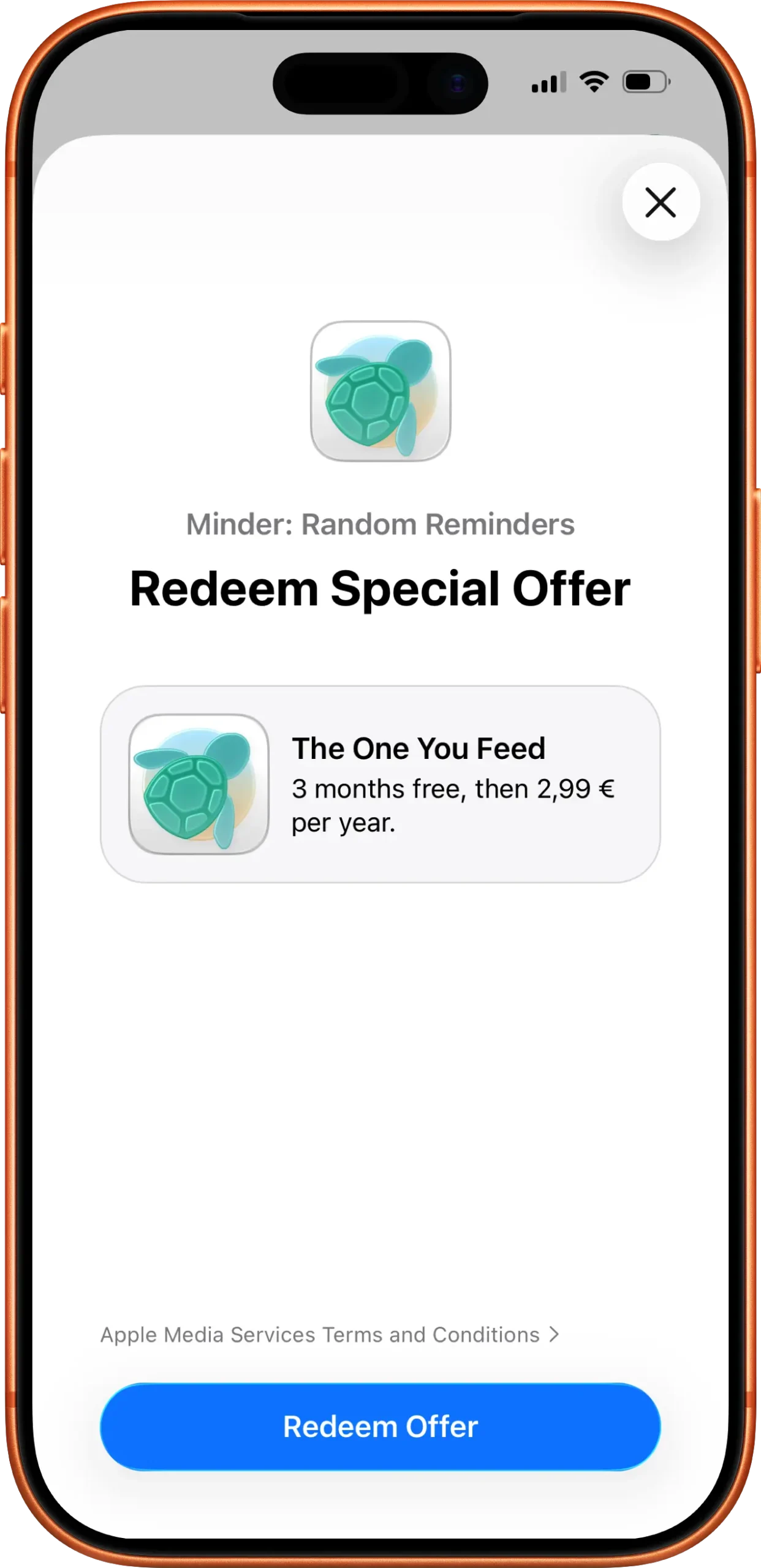
Once you have preordered the How a Little Becomes a Lot book you’ll receive an email with a link to redeem your benefit. Here’s how you can activate it:
- Open the link to redeem the code and download the app (if you’ve already downloaded the app, open the redemption link before launching the app.)
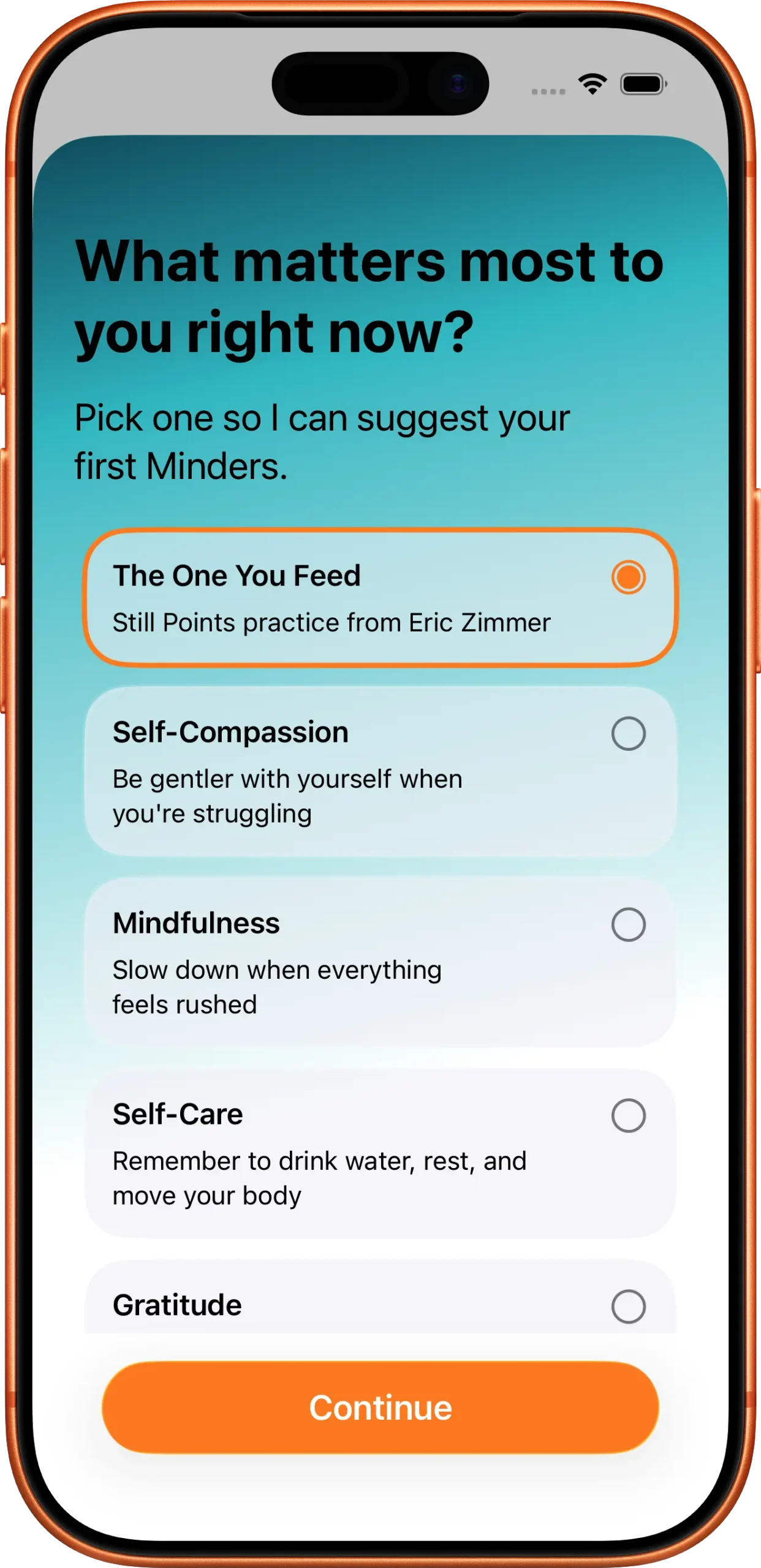
- During the app onboarding, select the “The One You Feed” option on the screen with the title “What matters the most to you right now?”
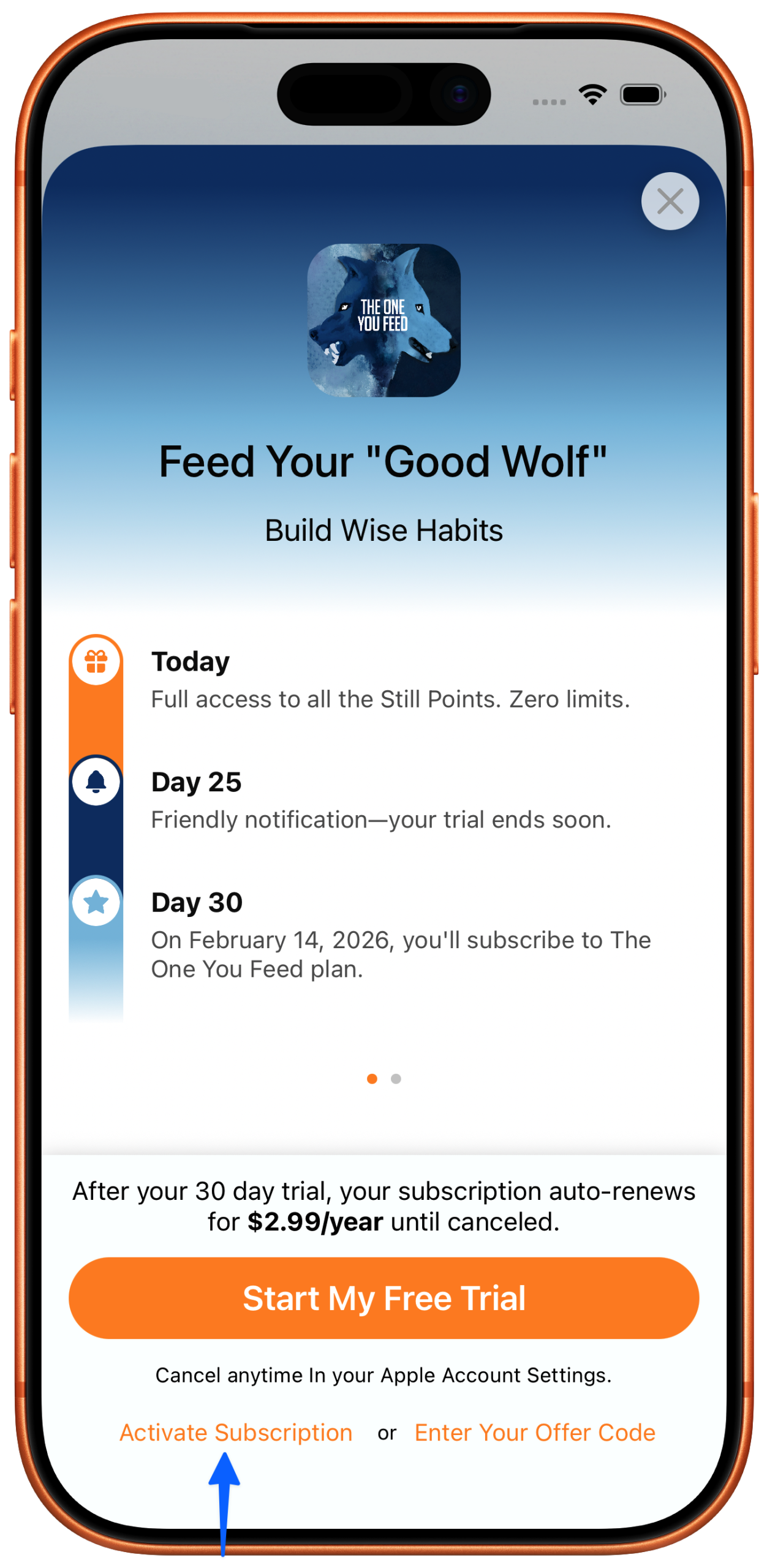
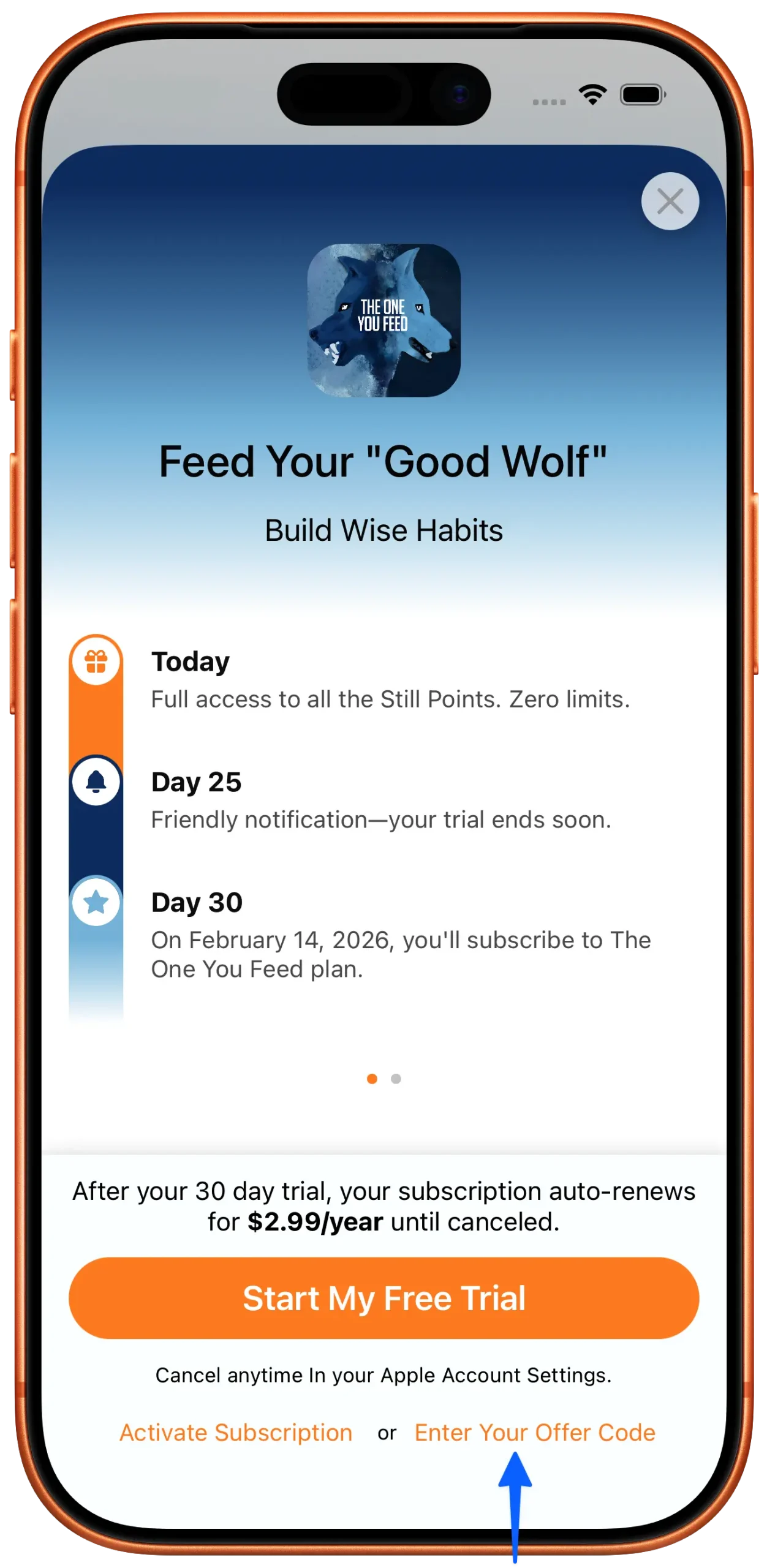
- If–in the last step–you are presented with the paywall, tap on the “Activate Subscription” option. Most of the times you won’t see this screen after redeeming the special offer.
Option 2: Entering the Code Manually #
- Download and install the “Minder: Random Reminders” app.
- During the app onboarding, select the “The One You Feed” option on the screen with the title “What matters the most to you right now?”
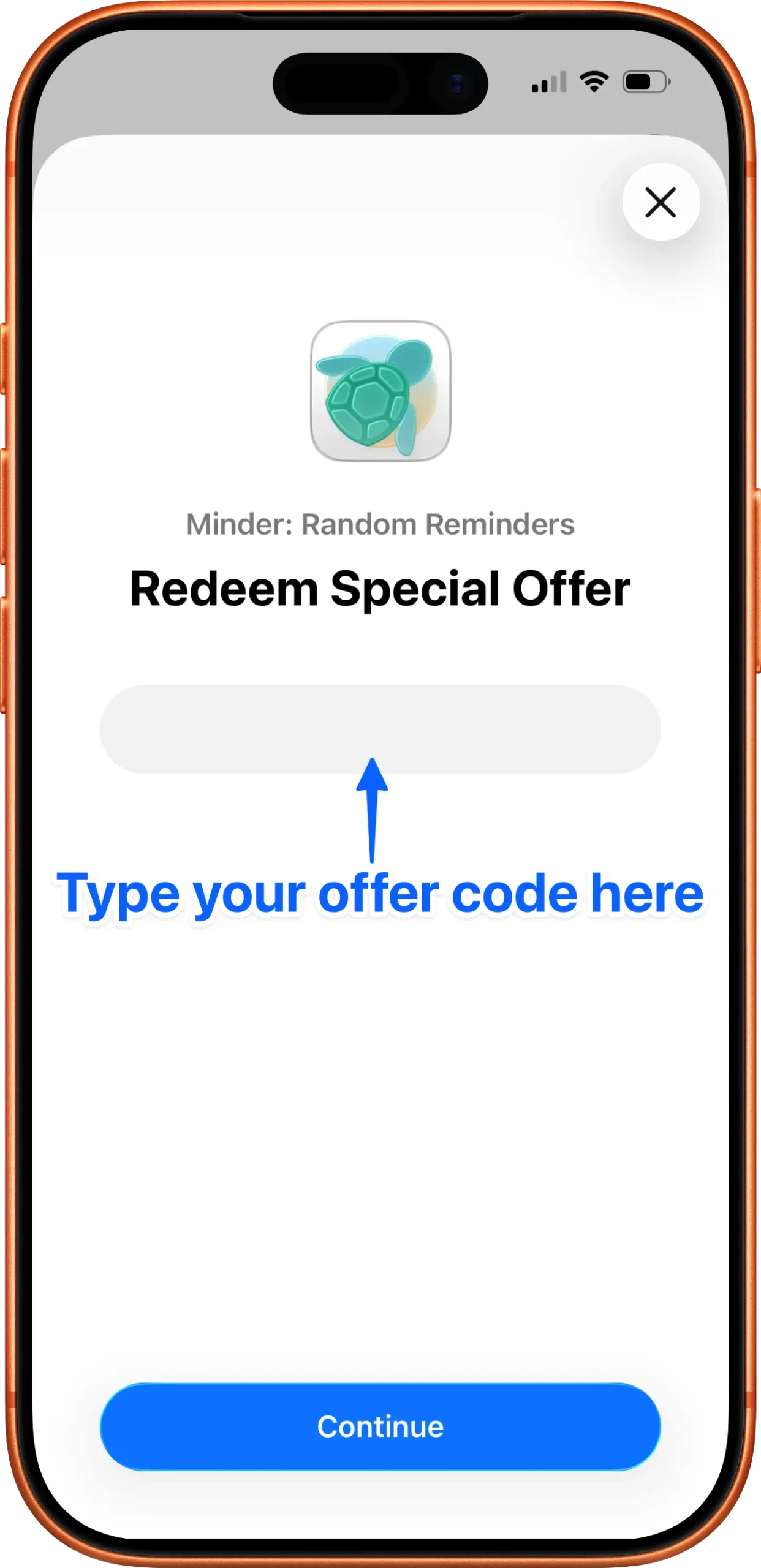
- In the last step when you are presented with the paywall, tap on the “Enter Your Offer Code” option and then type the code you received via email.
FAQ #
What’s included in the 3-month free trial? #
Full access to Minder Premium features, and a personalized experience for The One You Feed:
– The One You Feed app icon
– Personalized Home tab with The One You Feed logo
– Access to curated Still Points library in the Minder tab
What happens after the 3 months? #
You’ll automatically be charged $2.99/year (Early Supporter rate) unless you cancel. This rate is locked as long as you don’t cancel your subscription—even as prices increase for new users.
Unlike the default trial period inside the app, you won’t get a notification before the renewal takes place.
Do I need to select “The One You Feed” during setup? #
Yes! You must select “The One You Feed” when asked “What matters most to you right now?” during onboarding. This activates the personalized experience.
Can I cancel anytime? #
Absolutely. On your iPhone, go to Settings → [Your Name] → Subscriptions, select “Minder: Random Reminders”, and tap “Cancel Subscription.” You’ll keep access until your trial/subscription period ends.
I already downloaded Minder. Can I still redeem my benefit? #
Yes! Make sure to open the redemption link before opening the app, then during the onboarding process select “The One You Feed” when asked “What matters most to you right now?”
The redemption link isn’t working. What should I do? #
Try these steps:
– Make sure you’re opening the link on your iPhone
– Check that you’re signed into your Apple ID
– If issues persist, contact support at [email protected]
What if I accidentally skipped the “The One You Feed” selection? #
You can reinstall the app, but keep in mind all the information will be deleted.
In an upcoming app update you’ll have the option to select the goal from your app settings which will enable the experience.